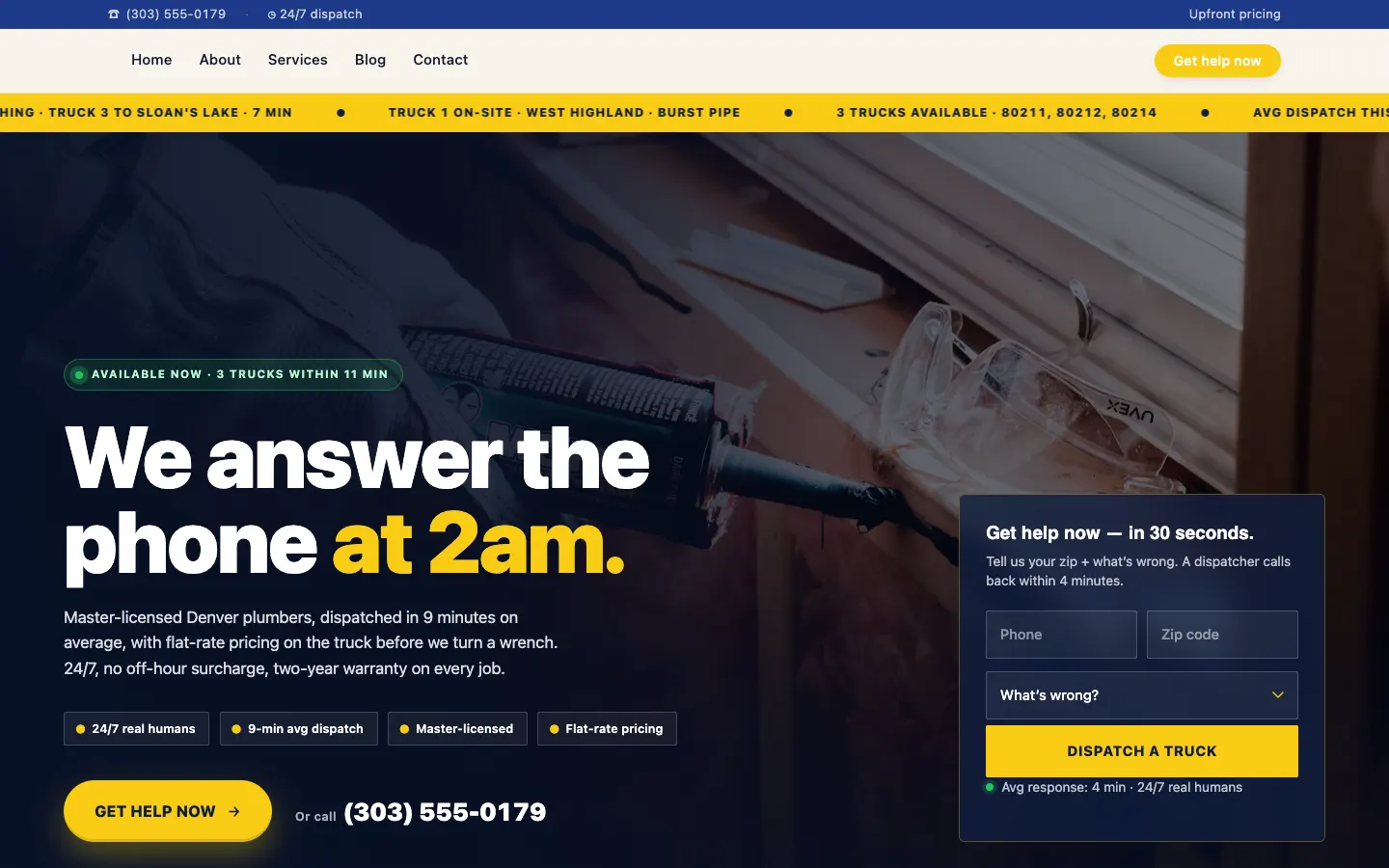
Here is a stat that should bother every plumbing contractor in Denver: the average plumbing company website changes its prices zero times in a calendar year. Zero - even though copper moved roughly 6% over the same window and the city utility quietly rolled out a new heat-pump water-heater rebate your competitors are already advertising. Nobody wants to call the developer for a $200 invoice and nobody in the office wants to "open the WordPress." A plumber website with unlimited edits is the way out of that trap, and the math is not subtle.
The hidden cost of a stale plumbing website
If you run a Denver shop, your pricing model is not static. Rough-in costs move with copper. Tankless install quotes shift when the manufacturer changes their dealer pricing. Mainline replacement bids depend on whether you are subbing the excavator or running your own mini-ex that month. Hydrojet prices jump in spring when sewer-line root season hits and every homeowner with a 1962 clay lateral suddenly needs you yesterday.
Yet the website still shows the price sheet your nephew built in 2022. The service-area map still lists Denver, Aurora, Lakewood, and Westminster, even though you stopped taking calls south of C-470 because drive time killed your margins. The homepage coupon expired in March. The after-hours form emails an alias nobody has read in a year.
None of this is a design problem. The site looks fine. It is a maintenance problem, and it is bleeding leads. In our experience, trade-contractor sites that go six-plus months without a content update see organic conversion rates drop 20–30% from their peak - not because Google penalizes you, but because the content stops matching what searchers want to confirm before they call.
This is why most calls we field at the ops desk start the same way: the owner has interviewed three or four agencies, gotten quotes between $8,000 and $25,000 for a redesign, and walked away convinced that no agency will keep shipping after launch. That is the gap a managed-change workflow is built to close.
Book a 20-minute walkthrough of the plumber demo and we will show you what a same-week update cadence looks like for a shop your size.
What "plumber website unlimited edits" actually means in practice
Workspace CMS is built around a single promise: unlimited CMS managed changes on a turnaround you can count on. You email a ticket - "swap the water-heater hero image, drop the spring drain-cleaning coupon to $89, add Castle Rock to the service-area page" - and on the Growth plan, the change ships in 2 business days at no per-edit fee. No quote, no scope-creep email, no "that's out of retainer." No admin panel to wrestle, no $200 invoice for fifteen minutes of work.
For a Denver plumber, that turnaround maps to the rhythm of the work:
- October through March - frozen-pipe season. First hard freeze hits and your homepage needs an emergency banner, an updated after-hours phone-tree note, and a fresh post on thawing copper lines safely. Ship Tuesday, live Thursday.
- March through June - sewer-line root season. Hydrojet and camera-inspection pages move up the nav, mainline-replacement financing terms get updated, and the perc test FAQ gets a Denver Water permit-link refresh.
- Anytime - utility rebate changes. Xcel or Denver Water adjusts a rebate, it lands on the tankless and heat-pump pages within the week.
- Year-round - service-area expansion. The day you decide to start taking Highlands Ranch calls, a new geo-targeted landing page goes live before the first ad dollar gets spent.
The whole platform feature set is built around shipping these changes fast - not around giving the office a 90-tab admin panel to learn.
Six features a plumbing website designer actually uses every week
If you are evaluating a plumbing website designer right now, the feature checklist matters less than which features get used on a normal Tuesday. Here is what we touch most often on a live plumbing tenant - and which built-in Workspace CMS tool does the work.
1. Multi-Location Storefront for service-area pages
One URL listing nine cities is not a service-area strategy. The Multi-Location Storefront generates a real per-city page for Denver, Aurora, Lakewood, Westminster, Thornton, Arvada, and any new ZIP you want to chase, each with its own hours, phone, and trust signals - plus a ZIP-search store locator on the homepage. Add Castle Rock to your route on Monday; by Wednesday there is a Castle Rock plumber page indexed, schema'd, and internally linked.
2. Automations for scheduled posts
Frozen-pipe content needs to be live by mid-October, not after the first Arctic blast hits. Automations schedule recurring AI drafts and detection runs - "every September 15, draft three frozen-pipe posts; every March 1, draft three sewer-root posts" - so the pipeline is loaded when the season arrives. The ops desk reviews and ships; the content does not get forgotten in a Google doc.
3. AI Blog Generator for seasonal posts
This is not generic GPT mush. The AI Blog Generator is tuned to a brand-voice profile built from your existing pages and intake notes, so the draft about "how to tell if your water heater is about to fail in a Denver basement" actually sounds like your shop, not like every other plumbing site running the same OpenAI wrapper. The ops desk edits, ships, and the post slots into the calendar without ever passing through your inbox.
4. Page Editor with the SEO Sidebar
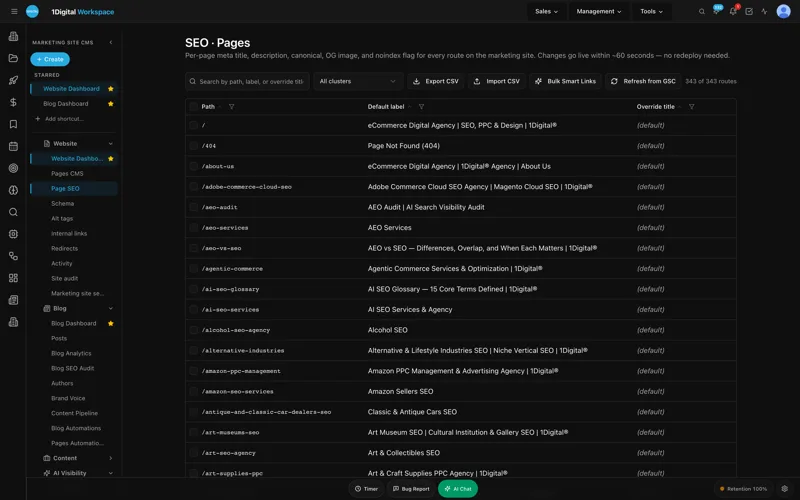
Every service page - drain cleaning, sewer mainline replacement, tankless install, hydrojet - has its own permanent SEO sidebar for meta title, description, canonical, OG image, robots, and JSON-LD overrides. When you ship a new Castle Rock landing page, the sidebar is right there during the build, not buried under a Yoast modal three clicks deep. The page-level SEO sidebar deep-dive on the marketing site walks through every field, with screenshots.
5. Redirect Manager with CSV import for old-domain migrations
Most plumbing shops we onboard are migrating off a 2018-era WordPress site with somewhere between 40 and 300 indexed URLs and a redirect map that was last touched during the migration before that one. The Redirect Manager handles 301, 302, 307, and 308 with conflict detection - so retiring the old /drain-cleaning-denver URL does not silently override the redirect you already built for /services/drain-cleaning- and accepts a CSV import so your full URL map ships on day one of onboarding instead of dribbling in over six weeks.
6. Internal-Link Rules
The Internal-Link Rules engine is the one most plumbing owners do not know to ask for, and the one that quietly moves rankings the most. Set a rule that any mention of "sewer mainline" anywhere on the site links to /services/sewer-mainline-replacement, anchored properly, with no double-linking. When the AI Blog Generator ships a frozen-pipe post next month, every mention of mainline work is already wired into the service hub.
7. Site Speed & Core Web Vitals
The whole tenant runs on Next.js + Vercel infrastructure, which means your service pages hit Lighthouse scores in the high 90s out of the box - and the Site Speed dashboard re-checks every page nightly so a heavy hero image you forgot about does not quietly tank LCP across the site. For a Denver homeowner deciding between you and the shop above you in the map pack, a sub-1-second page load is a closer.
8. AI Visibility Tracker for LLM citations
The new piece nobody had a year ago. The AI Visibility Tracker runs your real prompts - "who replaces sewer mainlines in Denver," "emergency plumber Capitol Hill," "best 24/7 plumber near Wash Park" - against ChatGPT, Claude, Perplexity, and Gemini on a weekly digest. In our experience, 10–20% of "find me a plumber" research is now happening inside an LLM before the searcher ever touches Google. If your structured data is broken, you are invisible in that channel and you will not know it until your call volume drops.
UNLIMITED MANAGED CHANGES
Send a ticket. We ship the change.
Every Workspace CMS plan includes unlimited managed CMS edits. Essentials ships in 4 business days. Growth ships in 2. Premium ships in 12–24 hours. No per-edit fees. No "open a Jira" overhead. Every seasonal coupon swap, every new service-area page, every utility-rebate update, every frozen-pipe banner - describe what you need and our team builds it on your live site.
See the workflow in a 20-minute demo →
The WordPress maintenance trap, in dollars
Most plumbing shops we talk to pay $125–$250 per hour for WordPress maintenance, billed in fifteen-minute increments with a one-hour minimum. The "unlimited" plans from a generic plumbing web design agency cap at five or ten edits a month and define "edit" so narrowly that swapping a phone number counts as one, and adding a new service-area page counts as four.
Run the math on a real year. Twelve seasonal pricing swaps, six rebate or coupon updates, four service-area expansions, two new technician bios, ongoing blog content, and roughly one "the form is broken at 9pm on a Saturday" incident. At $175/hour with a one-hour minimum, that is $7,000–$9,000 a year just in maintenance - before any of it moves your SEO needle.
Compare that to the Workspace CMS pricing ladder:
Pricing tiers, plain English
- Essentials - $89/month. Self-managed. Unlimited CMS managed changes with a 4-business-day SLA, AI Blog Generator, AI Visibility Tracker (5 prompts), 200 AI credits, all SEO controls (redirects, robots, llms.txt, JSON-LD schema), Vercel hosting + SSL + 100GB. Fits a one-truck shop where the owner's spouse runs the office.
- Growth - $199/month. Managed by 1Digital. What most plumbing teams pick. Unlimited content edits, image swaps, locations, and blog posts on a 2-business-day SLA. Same-business-day SLA on blockers. 1,000 AI credits, 15-prompt AI Visibility tracking across ChatGPT, Claude, Perplexity, and Gemini, Google reviews on your site (display and reply), white-label admin option.
- Premium - $449/month. White-glove. 12–24 hour change SLA, 4 business-hour blocker SLA, 2,500 AI credits, 30-prompt AI Visibility tracking, daily AI Site Audit. For multi-location operators who treat the site as a real revenue channel.
Growth at $199 lands well under what a single hourly-billed dev incident costs you in a normal month. The unit economics are not close - and they get further apart every time the seasons turn.

Lead capture forms with after-hours routing - the lead you almost lost
Plumbing is 24/7. In our experience, roughly 40% of plumbing leads come in outside business hours - burst pipe at 11pm, water heater dead Sunday morning, sewage backing up on a holiday. If your lead form emails a single info@ alias and nobody is watching it, you just lost a $4,800 mainline job to whichever competitor's form pushes an SMS to the on-call tech.
Workspace CMS lead forms route by hour and by service type. A trap-and-drain form during business hours goes to the dispatcher inbox. After 6pm or before 7am, the same form fires an SMS to whoever is on-call, plus an email to the owner so nothing falls through. The frozen-pipe emergency form routes straight to the on-call tech regardless of hour. No Zapier, no custom code, no separate form tool. Send the ticket, we ship the routing rules.
Get a strategy call with the ops desk and we will sketch your form-routing tree before you sign anything.
What separates a plumbing website designer from a plumber marketing agency
A pure plumbing website designer ships a site and walks away. A pure plumber marketing agency runs ads and reports on call volume but cannot touch the site without subcontracting it. The gap in the middle - where the site itself is the marketing channel, and the operator needs both the design and the ongoing change cadence - is where most owners get stuck choosing between two bad options.
Workspace CMS closes that gap by collapsing platform and change cadence into one subscription. The same team that builds your service-area pages owns the redirect map, the JSON-LD schema, the AI Visibility prompts, and the seasonal content calendar. Other operators in this demo gallery walk through similar setups for HVAC, roofing, and electrical shops - same pattern: the website is no longer a quarterly project, it is a weekly habit.
The 2-week launch window
Most plumbing shops we onboard launch in two weeks: migrate service pages, rebuild lead forms with after-hours routing, set up the redirect map so no SEO equity is lost, wire the Google Business Profile, ship the first month of AI-drafted blog posts, and load the AI Visibility Tracker with prompts that drive calls in your city. No page-builder fighting. No HTML required.
Plumber Website With Unlimited Edits: The Denver Operator's FAQ
Can I keep my existing domain and phone number tracking?
Yes. Domain migration is standard onboarding. We support CallRail, CallTrackingMetrics, and any dynamic number insertion script you run. The Redirect Manager with conflict detection points old service URLs at the new ones without losing rank.
What counts as a "change" on the unlimited plan?
Anything short of a full site rebuild. Pricing swaps, hero swaps, new service-area pages, blog posts, form-routing changes, schema updates, redirects, alt-tag sweeps. If you can describe it in a ticket, we ship it within your tier's SLA.
What if I need a change during a blizzard or a holiday?
Blocker-class issues - contact form broken, phone number wrong site-wide, homepage down - are same-business-day on Growth and four business hours on Premium. On Premium, the 4-business-hour blocker response is the tightest turnaround we offer.
Do I have to learn a new admin panel?
Only if you want to. On Growth and Premium, most owners never log in - they email the ops desk and the change ships. If you do want hands-on access, the Page Editor with SEO Sidebar plus Owner / Editor / Viewer roles and the audit log are all there.
How does this compare to HomeAdvisor, Angi, or a Yelp-built site?
Those are lead aggregators charging $40–$120 per non-exclusive lead. A plumbing website company that owns your platform plus your change cadence is your owned channel - organic, direct, GBP, and LLM citations all funnel to a site you control, with leads going straight to your dispatcher. The two are complementary, but only one of them compounds.
If your Denver shop is losing money to a website nobody updates, the fix is not a redesign - it is a maintenance model where the change actually ships. Book the plumber demo and we will map your first 30 days of tickets before you ever sign a contract.